Google Drive Integration for Real-Time CRE Intelligence

Joe Leach
Google Drive Integration for Real-Time CRE Intelligence
10:48
Why manual CRE document workflows slow deals down
A Google Drive CRE integration eliminates the lag between when deal documents land in a folder and when your team can actually use the data. Instead of waiting on uploads, downloads, and manual abstraction, documents are parsed automatically as they appear in Drive, keeping underwriting and asset workflows current.
Most CRE teams still run on a manual, "upload when you remember" rhythm. Associates drag files from email to a desktop, rename them, upload them to a VDR, then send a Slack to confirm the "latest version." Only then do analysts start typing data into models. That gap can be hours or days on an active deal.
Industry benchmarks show how expensive this is. Manual invoice processing averages around $15 per document, while automation can cut that below $3 according to Parsli. Lease abstraction is just as painful: one study cited by Lextract found that manual lease abstraction takes 4–8 hours per document with 3–7% error rates.
In CRE, those errors often land in the worst places: escalation schedules, free rent periods, or covenant language. When teams copy and paste terms out of static PDFs, each keystroke is a risk. On a 60‑asset portfolio refinance, even a 1% error rate can mean several critical mistakes.
The deeper problem is that data extraction happens in the "past tense." Deals move in real time—BAFO emails, revised rent rolls, updated estoppels—while your central model waits for someone to upload a new file and update the numbers. That time drift between documents and decisions is exactly what an integrated Drive workflow is designed to remove.
How a Google Drive CRE integration works under the hood
A Google Drive CRE integration connects your existing Drive folder structure directly to an AI engine built for leases, loans, and CRE documents. Instead of treating Drive as cold storage, the integration watches for new or updated files, ingests them securely, and pipes them into structured data pipelines without changing how your team organizes folders.
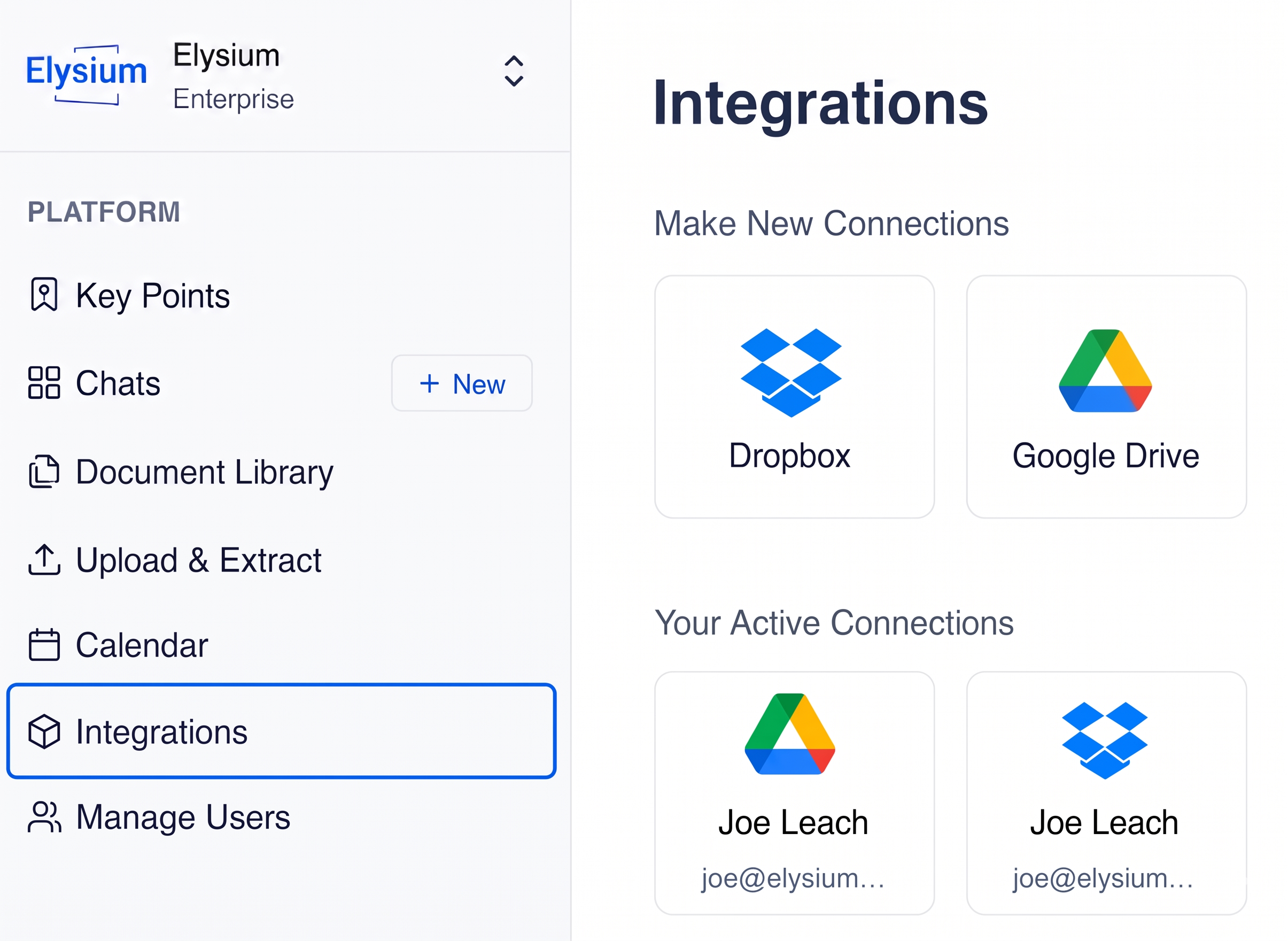
Operationally, you start by authorizing Elysium to connect to your Google Workspace. Most organizations scope access to specific "deal rooms" or asset folders—e.g., /Deals/2026/Acquisitions/123 Main Street or /Portfolio/Asset Files/Industrial. Once connected, Elysium subscribes to file events in those locations.
When a new lease, loan agreement, or other important doc hits the folder, the integration triggers ingest. The document is copied into Elysium’s secure environment, where an AI parsing engine—built specifically for CRE—extracts financials, dates, covenants, options, and other key provisions.
Because this is a direct integration, there are no extra "upload" steps. Analysts keep saving files to Drive the way they always have. The only difference is that the system starts working the moment a doc lands in the shared folder.
Security remains anchored in your Google Workspace permissions. If your legal folder is locked to a narrow group, only that group’s documents are accessible for parsing. As owners change, new deals spin up, or old ones archive, the integration follows your existing governance model rather than inventing a new one.
By architecting around Drive events instead of email attachments or drag‑and‑drop portals, you gain a low‑friction, high‑coverage way to keep every critical document in sync with your knowledge engine.
Real-time sync: from new file to structured data in minutes
A Google Drive CRE integration turns every new document event into a near real-time update of your portfolio intelligence. As files land in Drive, they move automatically through extraction and validation, so models, dashboards, and risk views stay hours—or days—ahead of manual workflows.
In practice, the sequence looks like this: a broker emails an updated lease draft; your associate saves it into the deal room; within minutes Elysium has parsed the revised economic terms and surfaced deltas against the prior version. Analysts no longer need to hunt through redlines to understand what changed.
This eliminates the classic "upload/download" loop that slows deals: download from email, upload to a portal, wait for abstraction, email the numbers back to the model owner. Instead, the Drive folder itself is the trigger and the system does the rest.
For teams running high‑volume underwriting, the productivity gain compounds quickly. Research cited by Parsli estimates that workers lose 6+ hours per week to repetitive data tasks that could be automated. Applied to a five‑person investment team, that’s the equivalent of reclaiming almost an extra full-time analyst.
Speed is only half of the story. Because parsing is standardized, the resulting data lands in a consistent schema. Free rent periods, caps, floors, renewal options, and termination rights all show up in the same fields across deals. That makes roll‑up analysis for lenders, investment committees, and LPs far simpler than stitching together bespoke spreadsheets.
The net impact is that your "current view" of any asset or deal isn’t gated by whether someone remembered to send a reminder email. As long as your team saves documents in Drive, intelligence stays up to date.
Turning shared Drive folders into a searchable CRE “brain”
A Google Drive CRE integration transforms your messy, deeply nested Drive folders into a single, searchable knowledge layer for leases, loans, and portfolio documents. Instead of digging through /Version Final v7 subfolders, you ask questions in natural language and get answers sourced from the latest documents.
Once documents from Drive are parsed, Elysium builds a structured index on top of your content. Every lease clause, economic term, and covenant lives as both raw text and normalized data. That means you can ask questions like, "Which industrial assets have free rent expiring in Q4 2026?" and get a precise, document-backed answer.
Because Drive is the system of record for many CRE teams—hosting deal rooms, lender packages, and asset files—the integration effectively gives that system a "brain." When legal uploads a new SNDA or an updated loan agreement, those terms are immediately available to asset management and finance without anyone forwarding attachments.
This shared intelligence layer reduces the risk of siloed knowledge. In a traditional setup, the person who read the lease knows the nuance; everyone else works from a simplified summary. With a searchable brain, any stakeholder can pull up the original language alongside structured fields, cutting down on misinterpretation.
Real-world examples include an acquisitions VP scanning historical deals for precedent language on co‑tenancy, or a portfolio manager instantly pulling every lease with unusual restoration obligations before a capital planning session. In both cases, the combination of Drive as storage plus Elysium as the brain replaces hours of rummaging with a few targeted queries.
Practical use cases for deals, asset management, and lenders
A Google Drive CRE integration supports concrete workflows across acquisitions, asset management, and debt, turning everyday file saves into automated intelligence updates. Each group keeps using familiar Drive folders, but benefits from faster answers and fewer copy‑paste mistakes.
For acquisitions teams, the integration shortens underwriting cycles. New OM versions, rent rolls, or draft leases dropped into the deal room feed directly into your model inputs. Analysts can compare scenarios, run sensitivity analysis, and prepare IC materials while the deal is still fresh, instead of waiting on manual abstraction.
Asset managers gain continuous visibility into portfolio health. As amendments, estoppels, and renewal notices land in Drive, key terms—like option windows, expansion rights, and termination triggers—update in a central dashboard. Instead of tracking expirations in scattered spreadsheets, the team can proactively manage risk and opportunity.
Lenders and credit teams benefit from cleaner, more consistent covenant data. When updated loan agreements or compliance certificates are saved to Drive, the integration extracts ratios, reporting requirements, and financial tests. This reduces the chance of missing a threshold or deadline buried deep in boilerplate.
Even support teams—from legal to FP&A—see efficiency gains. A real estate automation firm profiled by StackDC Digital highlighted how AI document workflows reduce errors and delays that previously clogged back offices. Elysium brings that same automation to the specific realities of CRE files.
Across all these use cases, the principle is the same: your Google Drive is already where the work happens; the integration turns it into where the intelligence lives.
How to activate and operationalize the Elysium x Drive sync
A Google Drive CRE integration with Elysium is activated in a few minutes and then rolled out folder by folder, starting with your highest-impact deal rooms and asset files. From there, you define owners, QA loops, and reporting so the new intelligence becomes part of how your team runs deals every day.
Activation typically starts with your Google Workspace admin granting Elysium secure access. Next, you identify the initial Drive folders to sync—often a mix of active acquisitions, a pilot portfolio, and a lender or JV partner folder. Once connected, Elysium begins parsing any new documents added to those locations.
To operationalize the integration, most teams nominate an internal "data champion"—often on the acquisitions or asset management side—who owns folder conventions and monitors early outputs. They validate extracted terms on a sample of documents, flag edge cases, and work with Elysium to tune parsing for your specific paper.
Within a few weeks, the integration usually expands to more drive paths as users see the benefit of querying their shared "brain" instead of hunting for PDFs. Governance remains anchored in your existing Drive permissions, so adoption doesn’t mean re‑platforming or rebuilding your entire folder tree.
From there, it’s about tying the data to decisions: connecting parsed fields to underwriting templates, covenant trackers, dashboards, and reporting packs. When every new Drive upload quietly improves those tools in the background, you’ve effectively moved your CRE portfolio from static files to a living knowledge engine.